
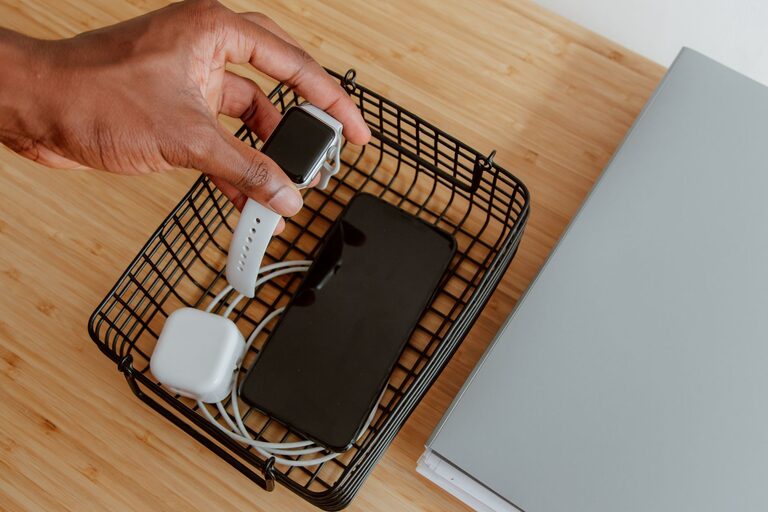
Creating a dedicated charging station for your devices can simplify your daily routine, keep your space organized, and ensure all your gadgets are ready to go when you need them. Whether you have smartphones, tablets, laptops, or other rechargeable devices, setting up a centralized charging area can eliminate clutter and make powering up a breeze. In this guide, we’ll walk you through everything you need to create an efficient and safe charging station at home or in your workspace.
Why Set Up a Charging Station?
With the increasing number of devices we use daily, tangled cords and searching for outlets can become frustrating. A charging station:
– Keeps cables and devices organized in one place
– Reduces clutter and tripping hazards
– Ensures all devices charge reliably and simultaneously
– Helps extend the lifespan of your devices by using proper chargers
– Makes it easy to find devices and keep track of charging status
Step 1: Choose the Right Location
Selecting the ideal spot for your charging station is the foundation for its effectiveness. Consider:
– Accessibility: Pick a place everyone in the household or office can easily reach, like a living room table, kitchen counter, or desk.
– Power Availability: Ensure there are enough electrical outlets close by or plan to use a surge protector or power strip.
– Safety: Avoid areas prone to moisture, heat, or heavy foot traffic.
– Space: Make sure there’s enough room for your devices and chargers without crowding.
Step 2: Gather Necessary Equipment
Before you start, collect the tools and supplies you’ll need:
– Multi-port USB charger or power strip: A charger with multiple USB ports can handle several devices at once without needing many adapters.
– Charging cables: Have cables compatible with all your devices (e.g., USB-C, Lightning, micro-USB).
– Cable management tools: Cable clips, ties, or sleeves help keep cords neat.
– Storage or organizers: Use bins, trays, or shelves to hold devices while charging.
– Labeling materials: Optional labels can help everyone identify their chargers and cables.
Step 3: Organize Your Devices and Cables
To prevent tangled cords and confusion:
- **Sort your devices:** Group devices by type or user.
- **Match cables:** Make sure each device has the right charging cable.
- **Label cables and ports:** Attach small labels or colored markers to cables corresponding to each device.
- **Coil excess cable length:** Use cable ties or twist ties to shorten long cords, reducing clutter.
Step 4: Set Up the Charging Station
Now it’s time to assemble your charging station:
- **Position your power source:** Place your power strip or multi-port charger near your chosen location.
- **Arrange cables:** Plug in all cables, then route them neatly using clips or sleeves attached to the back or underside of desks or shelves.
- **Place devices:** Arrange devices in holders, trays, or on shelves to prevent overlapping and allow air circulation.
- **Test each port:** Confirm every device charges properly.
Step 5: Maintain and Optimize Your Charging Station
A charging station works best if it stays organized:
– Regularly declutter: Remove devices and cables you no longer use.
– Check cables for wear: Replace damaged cables to avoid safety risks.
– Update chargers: Use chargers that support fast charging for compatible devices.
– Add smart features: Consider a charging station with built-in wireless charging pads or smart plugs for automation.
Tips for a Safer Charging Station
– Use surge protectors to protect devices from power spikes.
– Avoid overloading power strips.
– Keep liquids away from the charging station.
– Don’t stack devices directly on top of each other while charging to prevent overheating.
Ideas for Different Charging Station Styles
– Desktop charging station: Compact organizer with multiple USB ports for your office.
– Wall-mounted station: Saves space and keeps cables off counters.
– Portable charging station: Use a small box or caddy with a multi-port charger for travel.
– Family hub station: A large unit in a common area to charge multiple devices at once.
Final Thoughts
Setting up a charging station is a practical way to keep your devices powered, your space tidy, and your cables under control. With simple planning and the right accessories, you can make charging time more efficient and stress-free. Take a little time to organize today, and you’ll enjoy the convenience every day afterward!